
The CAPIT Placement Test
Fig. 1: The CAPIT Placement Test
The Placement Test
Before students begin learning with CAPIT, they complete the Placement Test to demonstrate mastery of foundational reading skills. Based on their performance, students are placed at a customized instructional level within the program.
The Placement Test launches automatically the first time a student enters CAPIT. However, teachers can relaunch the test at any time if they believe a student is ready to skip lessons covering skills they have already mastered. Instructions for relaunching the Placement Test are provided below.
Students begin the Placement Test by clicking on the Test icon.
IMPORTANT INFORMATION
DURATION: The Placement Test may take a few seconds, a few minutes, or longer, depending on the student’s skill level and prior knowledge. Students should work on the Placement Test for no longer than 20–25 minutes in one sitting.
SECRET CODE: Teachers should keep their 4-digit secret code private. This code allows access to launch and relaunch the Placement Test. If you believe students may know your code, it is recommended that you change it immediately.
Fig. 2: The CAPIT Placement Test
The Placement Test Journey
The CAPIT Placement Test is made up of 31 short tests that assess foundational reading skills (Fig. 2).
Tests 1–4 assess students’ knowledge of letter sounds. Students who demonstrate mastery of these foundational skills may skip CAPIT Level 1 and begin instruction at a more advanced point within the program.
Please note that first-time students are given three opportunities to pass Test 1-4. After a third unsuccessful attempt, CAPIT will automatically place the student into Level 1. This is a normal part of the placement process for beginning learners.
Fig. 3: Your Teacher Profile
Do This Before Students Take the Placement Test
Before students begin the Placement Test, prepare them by opening the Test within your Teacher Profile (Fig. 3). This allows you to model the process, explain expectations, and help students feel more confident before starting independently.
Fig. 4: Placement Test
Click on the Test (Fig. 4).
Fig. 5: The Lock
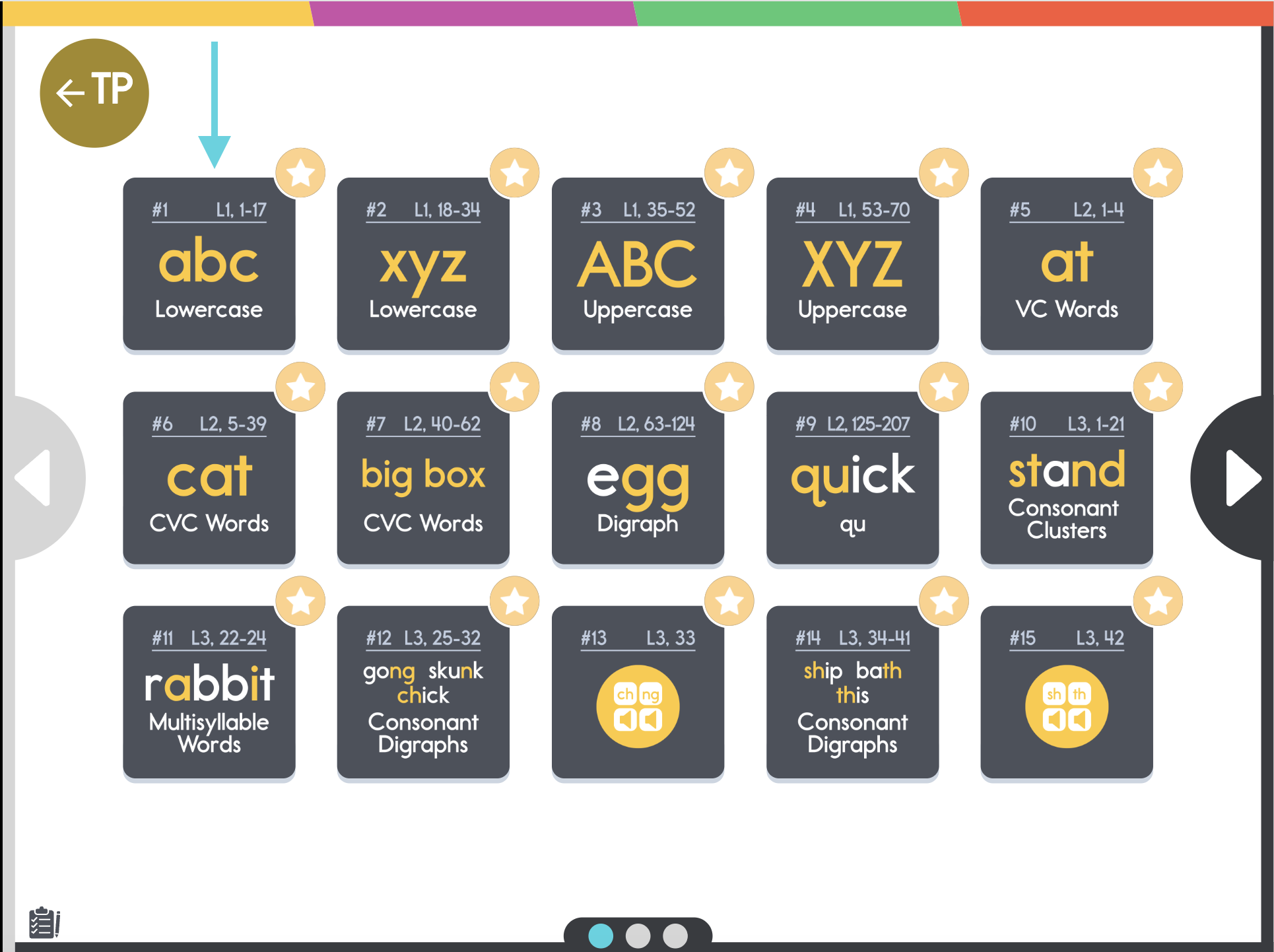
Fig. 6: Click on Test 1
Demonstrating the Test Interface
Now click on Test 1 (Fig. 6) to model the test interface for your students and show them how to complete the activity independently.
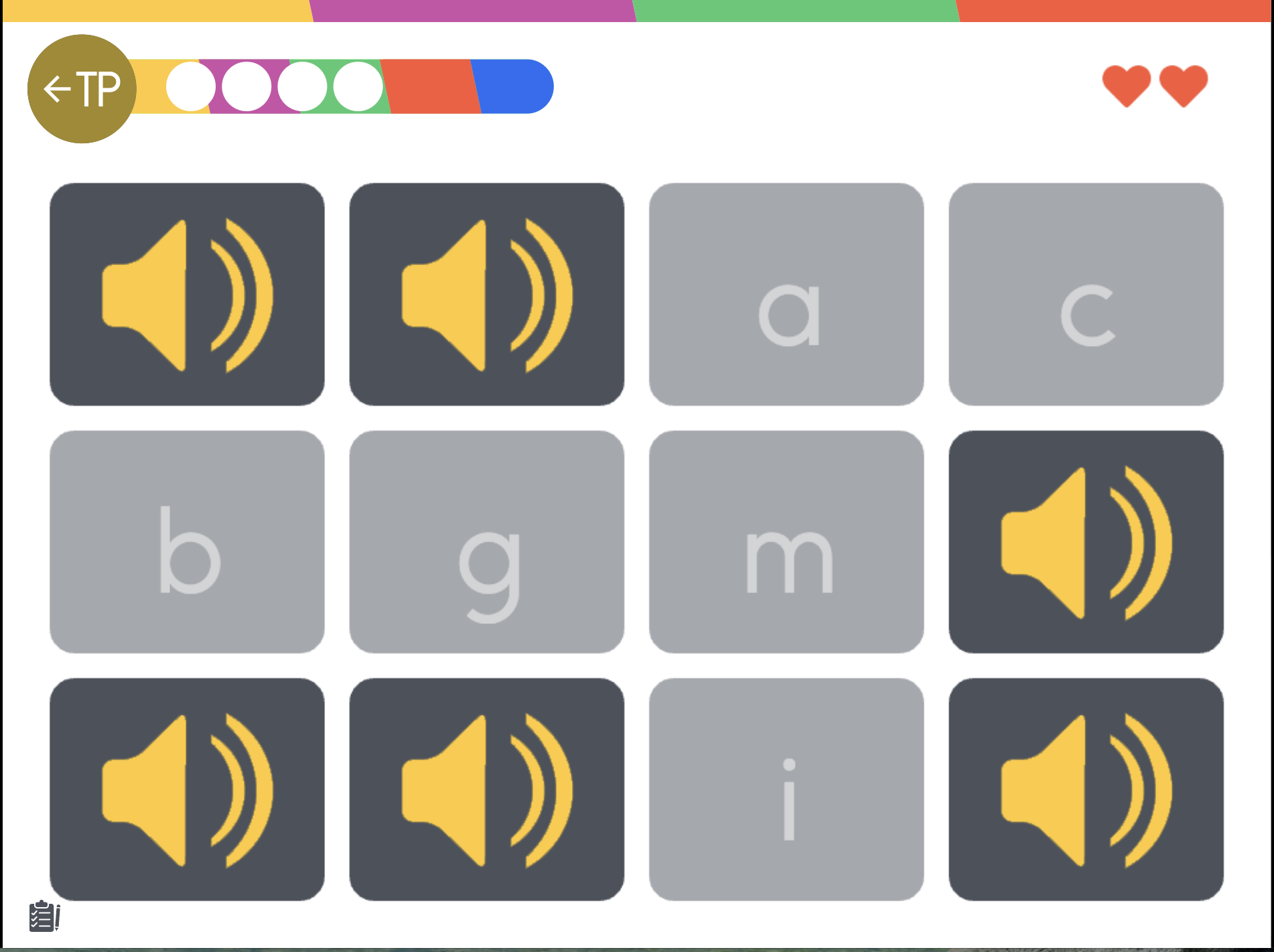
Fig. 7a: Test 1, Matching Sounds with Letters
Test 1: Matching Sounds with Letters
Tests 1–4 in the CAPIT Placement Test assess whether students can match sounds to both lowercase and uppercase letters (Fig. 7a). Model the process for students by demonstrating how to listen carefully to a sound and then select the matching letter.
Students who successfully pass Test 1 will move on to Test 2. Students who complete Test 4 will automatically skip CAPIT Level 1 and begin at a more advanced instructional level within the program.
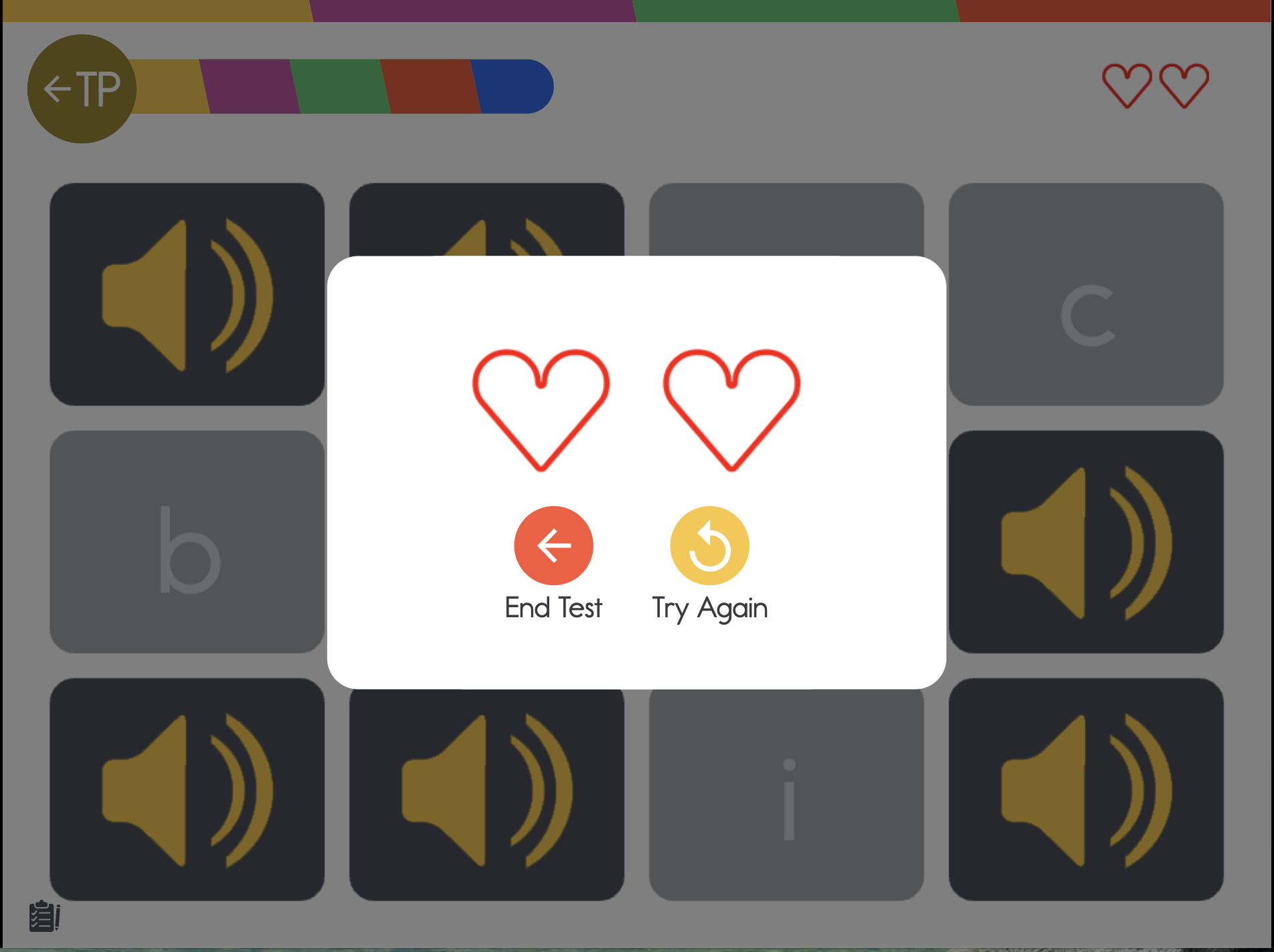
Fig. 7b: End Test or Try Again
Retrying or Ending the Test
During Tests 1–4, students may be given the option to either end the test or try again (Fig. 7b). It is important that students attempt the test three times before being placed into the program.
If a student selects “End Test” each time instead of retrying, they will continue restarting the test and will not be placed into the program to begin their lessons. Encourage students to keep trying so CAPIT can accurately determine their instructional starting point.
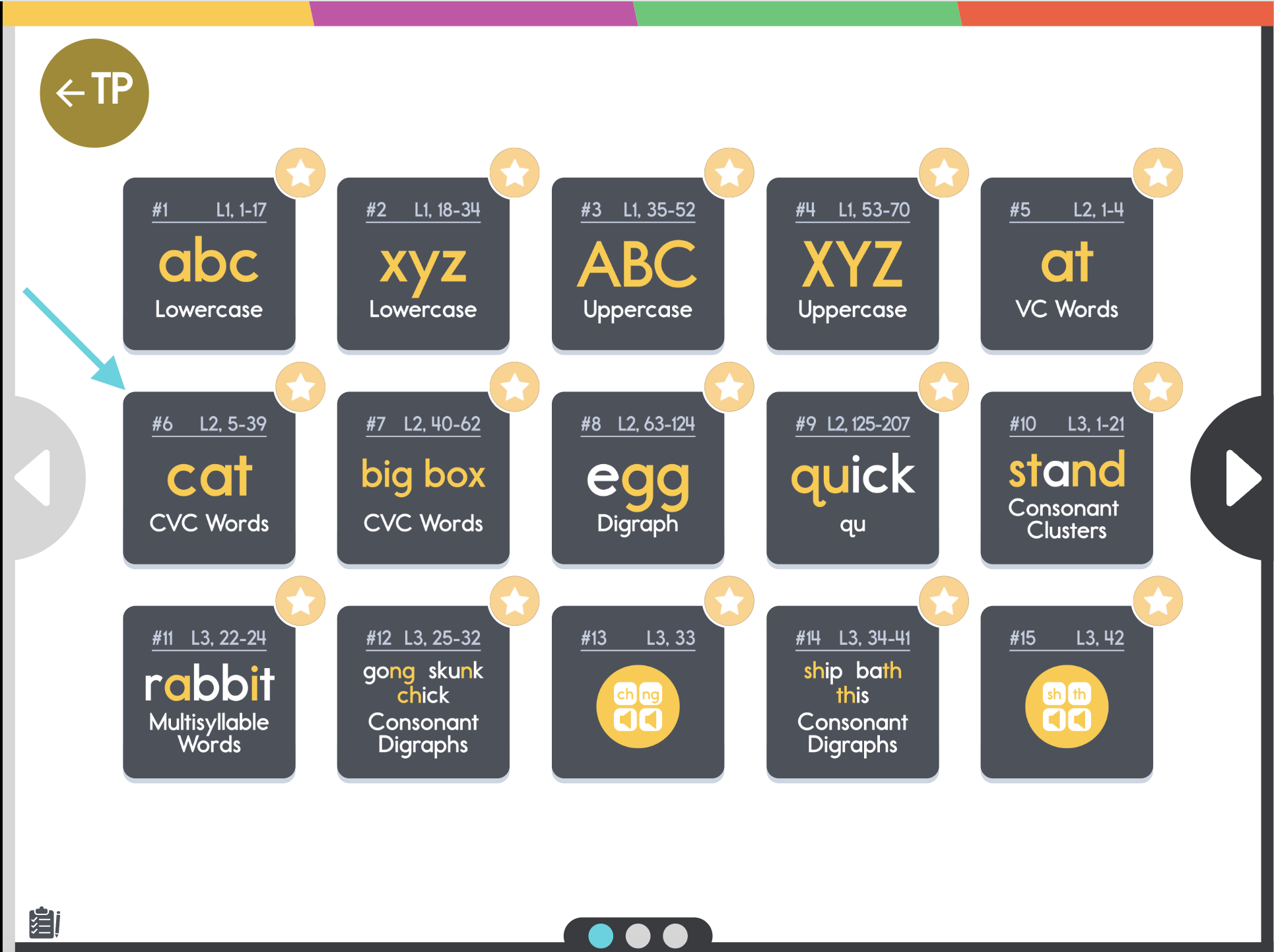
Fig. 8: Click on Test 6, Spelling Test
Demonstrating a Spelling Test
Now, click on Test 6 (Fig. 8) to model the test interface for your students and show them how to complete the activity independently.
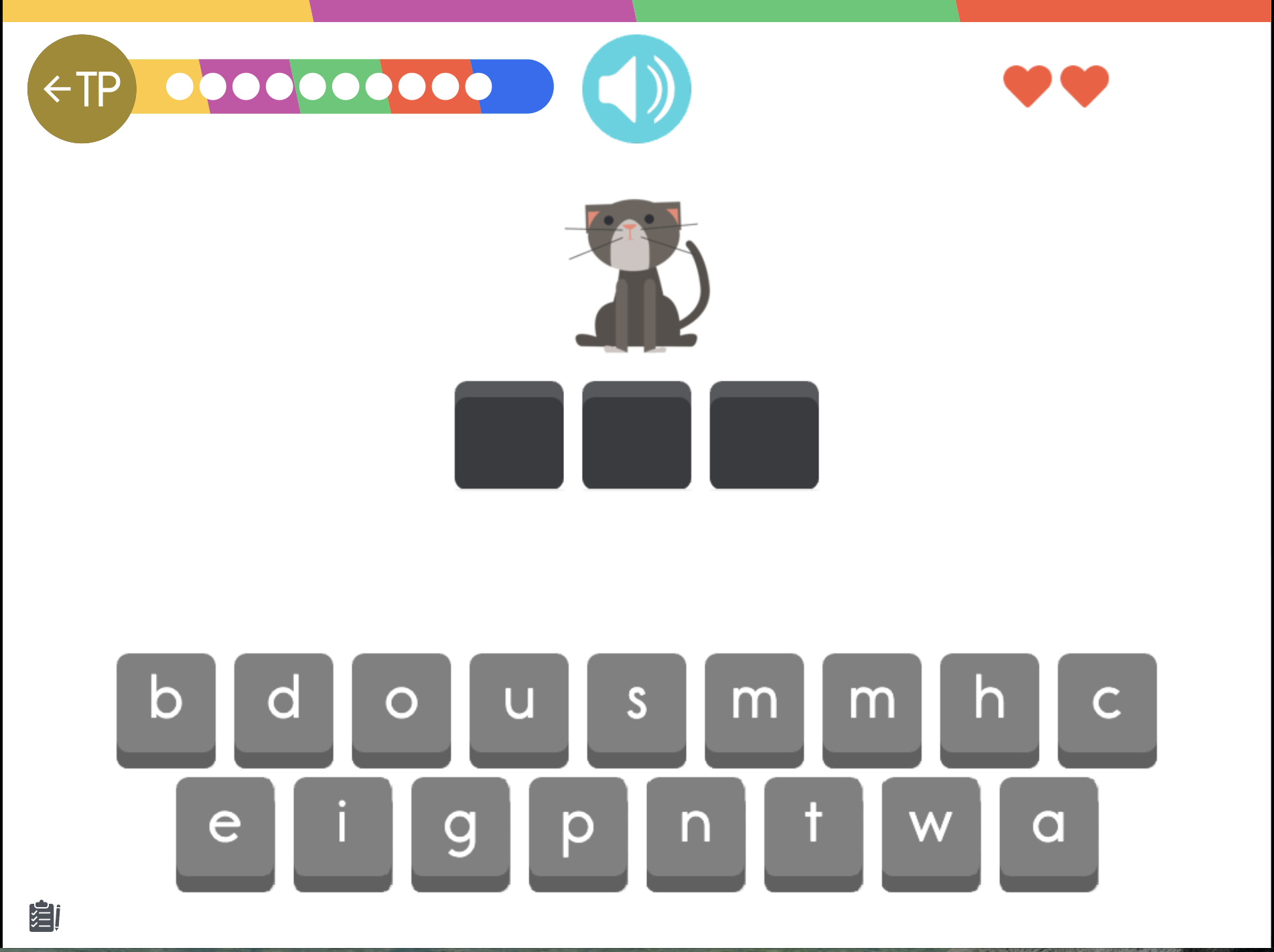
Fig. 9: Test 6, Spelling Test
Test 6, Spelling Test
Test 6 in the CAPIT Placement Test checks if students can spell words (Fig. 9). Model the process for students by demonstrating how to listen carefully to a word and then drag the correct letter tiles into the matching spaces.
At this point, students should understand how to navigate and complete the Placement Test independently.
Please note:
Students who pass Test 9 will automatically skip CAPIT Level 2.
Students who pass Test 31 will automatically skip CAPIT Level 3 and begin instruction in Level 4.
Fig. 10: Exit Warning
The Exit Warning
After students complete a few tests, they can stop and continue where they left off the next day. However, if a student exits in the middle of a test, their progress on that specific test will not be saved, and they will need to retake it. To help prevent this, CAPIT displays a warning message before a student exits during a test (Fig. 10).
Fig. 11: Relaunching the Placement Test
Relaunching the Placement Test (1)
Sometimes students may rush, become distracted, or work in a noisy environment during the Placement Test, which can result in them being placed below their true skill level. When this happens, students may become disengaged because they are working on skills they have already mastered.
If a teacher notices that a student is ready for more advanced skills, the Placement Test can be relaunched by clicking the Placement Test icon on the Level Menu screen (Fig. 11).

Fig. 12: The Lock
Relaunching the Placement Test (2)
The Placement Test is protected by a lock feature (Fig. 12) to prevent students from accidentally relaunching the test on their own. To reopen the Placement Test, teachers will need to enter their 4-digit secret code.
Fig. 14: Student working within the Placement Test
How Can I Tell if a Student Is Still in the Placement Test?
Students who are currently working within the Placement Test will have a small clipboard icon displayed on the left side of the screen (Fig. 14). This icon helps teachers quickly identify which students are still completing the assessment.
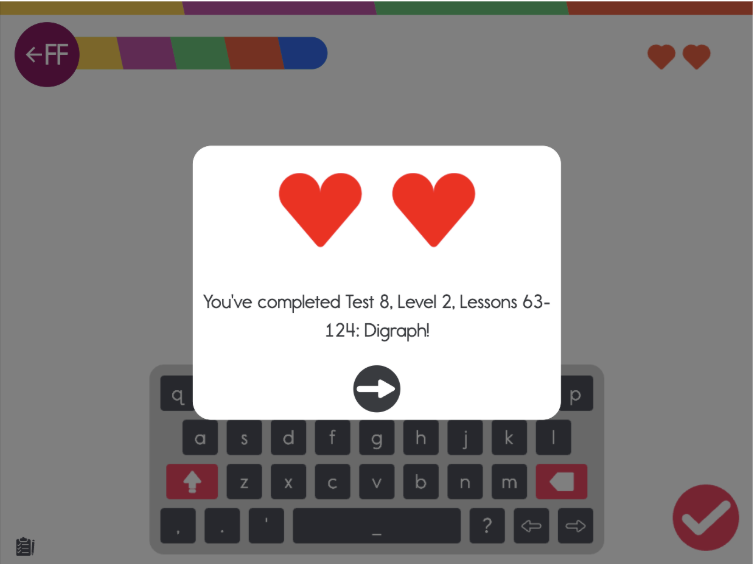
Fig. 15: Finishing a Test
How Do I Know if a Student Finished a Test?
When a student completes a test, a confirmation window will appear with a message such as:
“You’ve completed Test 8…” (Fig. 15)
This message lets students and teachers know a test was successfully completed and that the student is ready to move on to the next test.
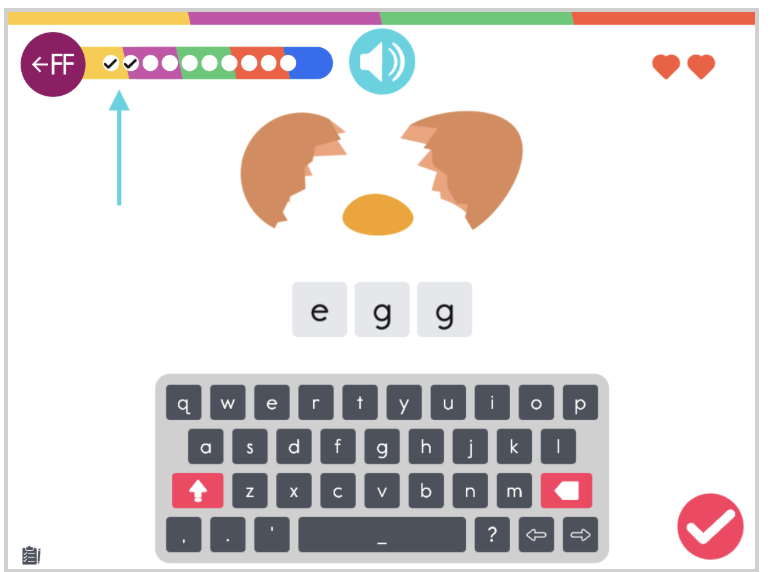
Fig. 16: Tracking Progress During the Test
Tracking Progress During the Test
Figure 16 shows a student who has completed 2 out of 10 spelling items, with 8 remaining to finish the test. The check marks within the multi-colored progress bar help students visually track their progress as they move through the assessment.
Fig. 17a: The Placement Test Scope (Click to Enlarge)
The Placement Test Scope and Duration
The Placement Test consists of 31 short tests that assess foundational reading skills. Each test takes approximately 5–10 minutes to complete, and students are not expected to finish all 31 tests in one sitting. The assessment can be completed over multiple days.
The Placement Test continues until either:
The student completes all 31 tests, or
The student begins making consistent errors that indicate the appropriate instructional starting point.
Students who successfully complete all 31 tests will bypass Levels 1, 2, and 3 and begin instruction in Level 4.
Figures 17a-b-c explain the relationship between the 31 tests and the skills assessed.
Fig. 17b: The Placement Test Scope (Click to Enlarge)
Fig. 17c: The Placement Test Scope (Click to Enlarge)